Agent Configuration
Learn how to configure and customize your AI agents on the Agent5ive platform.
Agent SkillsNEW
Agent Skills extend your agent with specialized instructions that can be loaded on demand. Skills are defined usingSKILL.md files based on the Agent Skills open standard. Your agent can load skills dynamically using the loadSkill tool.
loadSkill tool. Browse the skills.sh directory to find community-contributed skills.Accessing the Skills Tab
To manage skills for your agent, navigate to your agent's configuration page and click on the Skills tab. This tab is located alongside Core, Tools, Sub Agents, and Access tabs.
Installing a Skill
Click "Edit Details" to open the skill installation panel. You can install skills using three methods:
Paste the contents of a SKILL.md file directly into the text area. Useful for quickly testing custom skills or skills you've copied from elsewhere.
Enter a URL to a SKILL.md file hosted online (e.g., a GitHub raw URL). The skill content is fetched and installed automatically.
Upload a SKILL.md file directly from your computer. Ideal for skills you've created locally or downloaded.
After selecting your installation method and providing the skill content, click "Install Skill" to add it to your agent. The skill will appear in the Installed Skills list with its name, source URL (if applicable), and description.
SKILL.md File Format
Skills use a simple markdown format with YAML frontmatter containing metadata, followed by instructions:
---
name: my-skill
description: What this skill does and when to use it
---

## Instructions

Detailed instructions for the skill go here.
The agent will follow these instructions when
the skill is loaded.
How Skills Work at Runtime
When your agent needs specialized capabilities, it can invoke the loadSkill tool to dynamically load an installed skill. The skill's instructions are then incorporated into the agent's context, allowing it to perform tasks defined by that skill.
- On-demand loading - Skills are only loaded when needed, keeping the agent's base context lean
- Specialized instructions - Each skill provides focused guidance for specific tasks
- Composable - Multiple skills can be installed, and the agent chooses which to load based on the task
Finding Skills
Visit skills.sh to browse a directory of community-contributed skills. You can also create your own custom skills by following the SKILL.md format above.
Advanced Settings
The Config tab includes Advanced Settings that allow you to fine-tune your agent's behavior through Response Creativity (temperature) controls and Content Safety filters. These settings determine how creative or focused your agent's responses are, and what types of content are filtered.
Persistent Conversations
Persistent Conversations is a powerful feature that allows your agents to maintain conversation history across browser sessions. When enabled, users can return to their conversations with your agent and continue where they left off, creating a more seamless and personalized experience.
How Persistent Conversations Work
When persistent conversations are enabled for an agent, the conversation history is preserved using a combination of browser-stored identifiers and server-side storage. This means:
- Conversation Continuity - Users can close their browser and return later to continue the same conversation
- Full History Access - All previous messages, tool usage, and context are preserved and reloaded
- Browser-Specific - Conversations are tied to the specific browser and device being used through stored identifiers
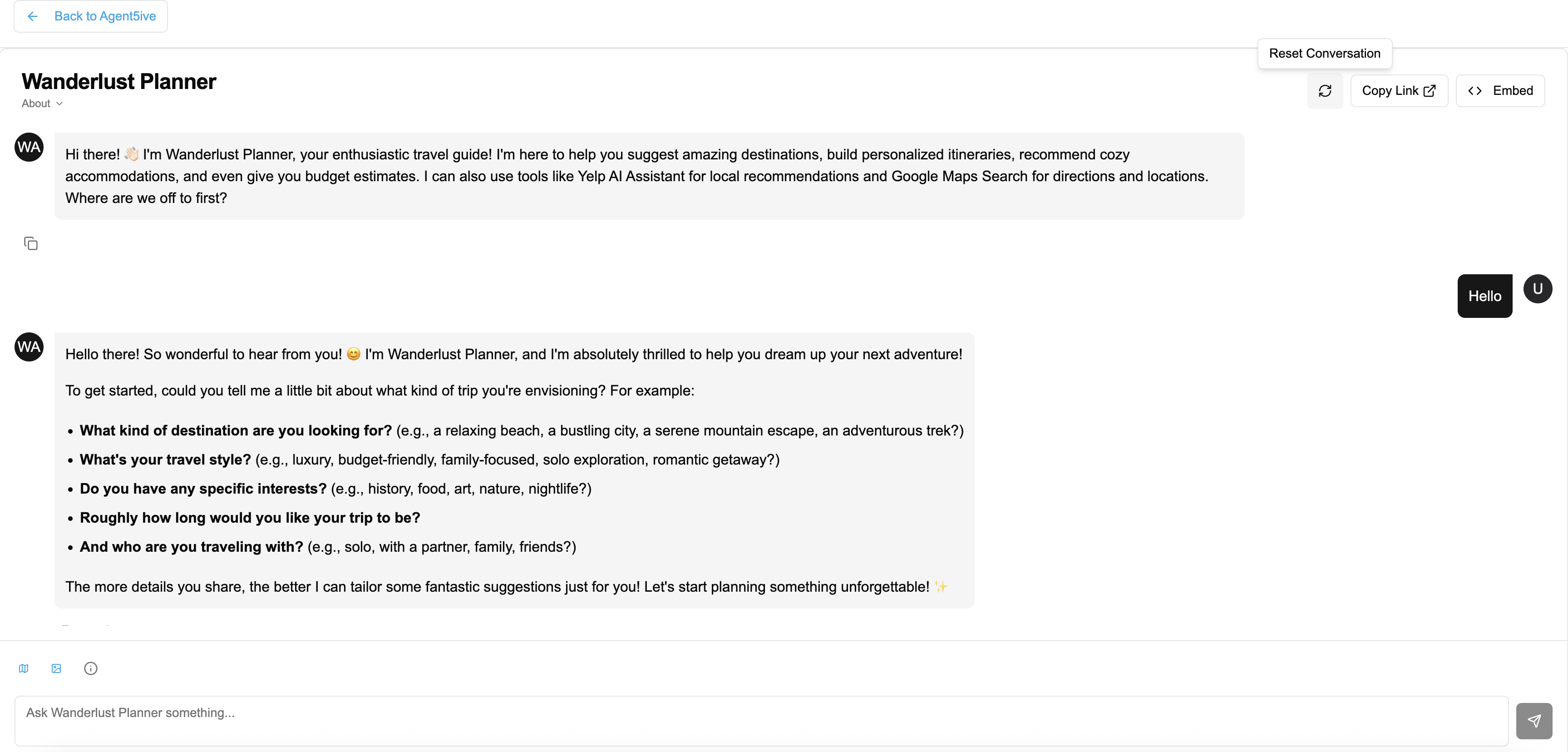
- User Control - Users can reset the conversation at any time using the "Reset Conversation" button
Enabling Persistent Conversations
To enable persistent conversations for your agent:
- Navigate to your agent's configuration page
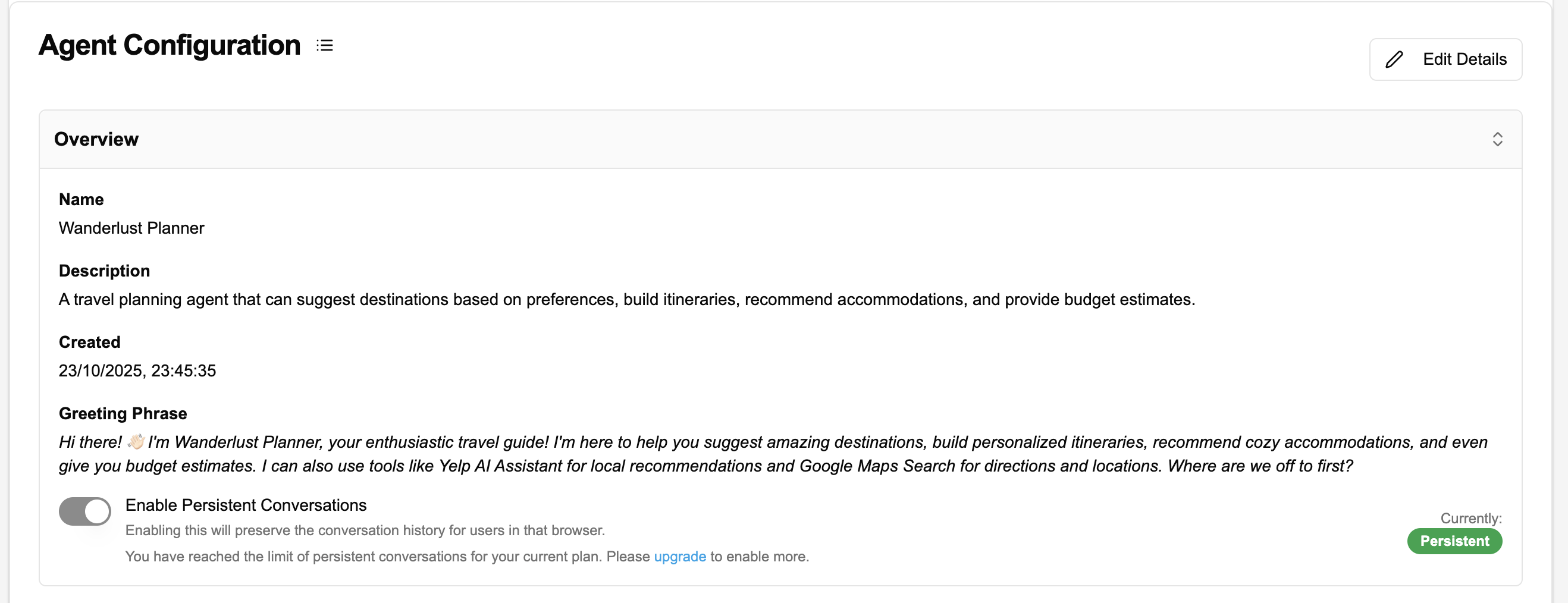
- Locate the "Enable Persistent Conversations" toggle in the Overview section
- Toggle it on to enable the feature
- Save your changes and redeploy your agent
- Free (Explorer): Up to 3 deployments with persistent conversations
- Paid Plans (Builder, Pro, Business): Unlimited persistent conversations - enabled by default for all deployments
Paid plan users have persistent conversations enabled by default on all their agent deployments. Free plan users can enable it on up to 3 deployments of their choice.
When to Use Persistent Conversations
- Personal Assistants - Agents that help with ongoing tasks and need to remember previous interactions
- Project Management - Agents tracking long-term projects with multiple check-ins
- Learning & Tutoring - Educational agents that build on previous lessons
- Customer Support - Support agents that need to reference previous issues and solutions
- Research Assistants - Agents helping with ongoing research that spans multiple sessions
- One-Time Queries - Simple question-answer agents where history isn't needed
- Public Information Kiosks - Shared devices where privacy is a concern
- High-Volume Support - Agents handling many brief, unrelated inquiries
- Sensitive Data - Situations where storing conversation history could be a security risk
Resetting Conversations
Users can reset their conversation with an agent at any time by clicking the "Reset Conversation" button in the chat interface. This will:
- Clear all conversation history
- Start a fresh conversation from scratch
- Remove all context from previous interactions
- Display the agent's greeting message again